Morning ritual
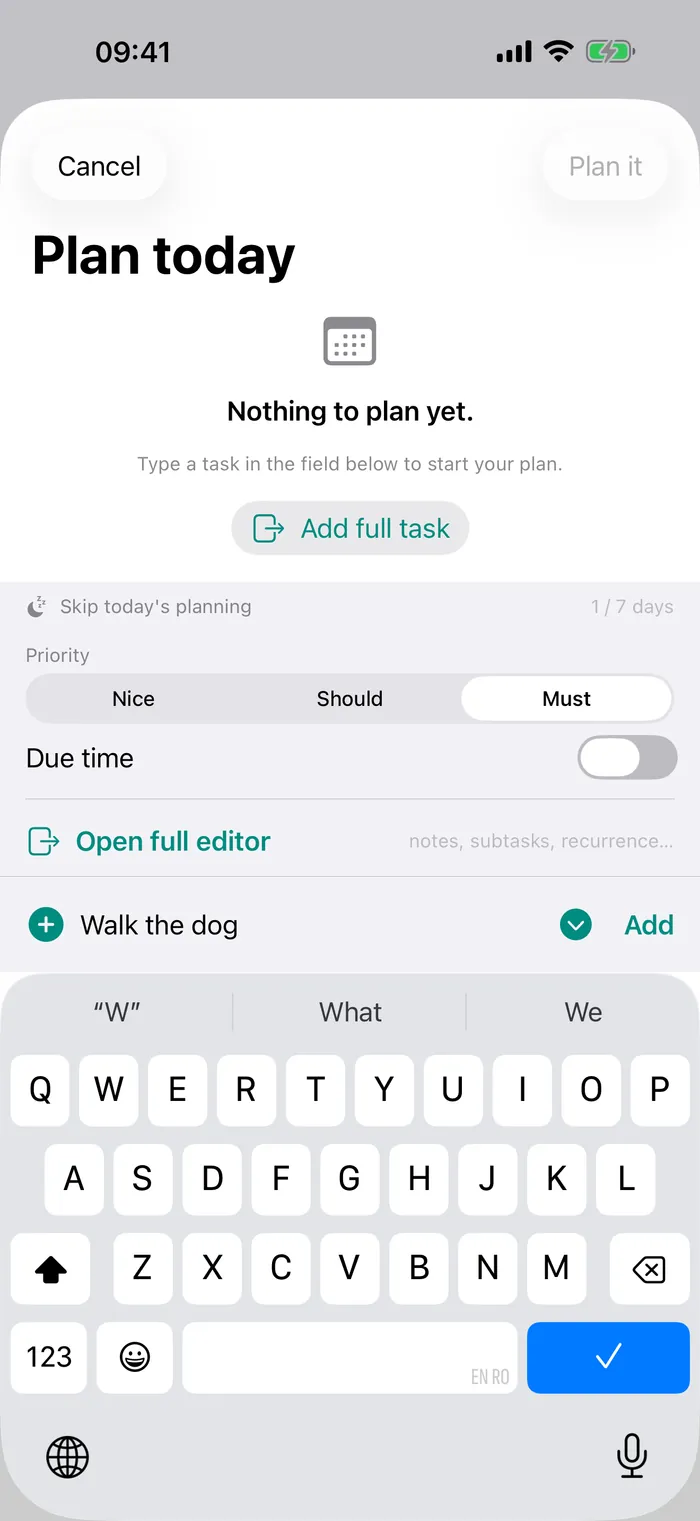
Before the day begins, Goad asks you to plan it. Pick what actually matters, carry over what you dropped, and commit — there's no skipping straight to a blank screen.
Goad plan: No-Excuses Tasks
Goad forces you to plan your day before it starts — and won't let you ignore what matters.
How it works
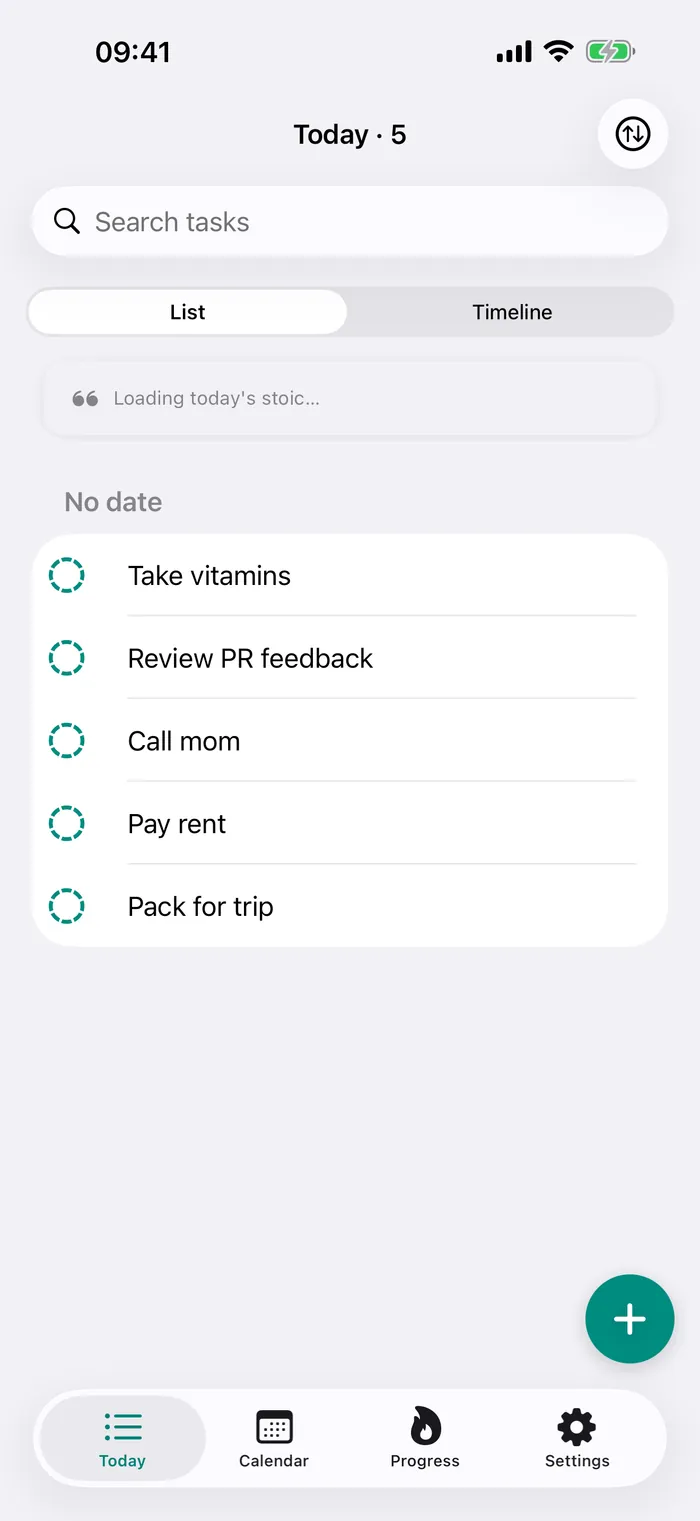
Goad wraps your day in a tight loop: commit in the morning, get pushed through the middle, and account for it at night.
Before the day begins, Goad asks you to plan it. Pick what actually matters, carry over what you dropped, and commit — there's no skipping straight to a blank screen.
A task you keep ignoring doesn't go quiet. Reminders come back louder — a calm-to-loud ladder — and they don't let you snooze your way out of the important ones.
At the end of the day, triage what's left: finish, reschedule, or let it go on purpose. You close the day with a clear conscience instead of a guilty backlog.
See it in action
A calm, native iPhone app — until you start ignoring what matters.
Features
Built for focus, not feature bloat. The essentials, done well, on your iPhone.
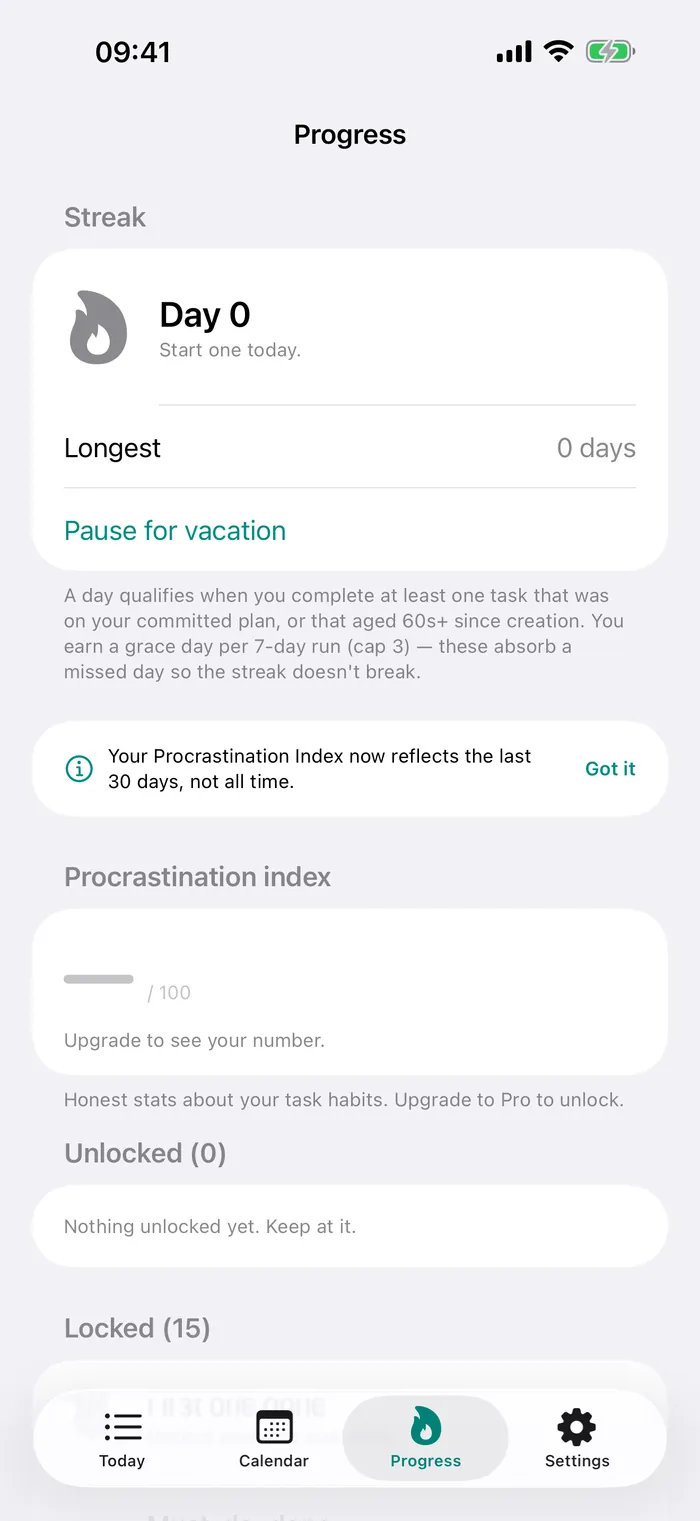
A weighted read on what you keep dodging — snoozes, defers, skipped plans. Free shows the teaser number; Pro unlocks the full score, band, and breakdown.
Goad notices the tasks you tend to repeat — the same chore each Tuesday, the bill on the 1st — and offers them when you plan. Free for everyone.
Everyone gets the escalating ladder. Pro lets you tune the step timings and sounds so the nags land exactly when you need them.
Tag each task Must, Should, or Nice so the day has a spine. Goad pushes hardest on the Musts.
Daily, weekdays, weekly, biweekly, or monthly, with an optional end date. Set it once and it shows up — no re-typing the same task every day.
Break a big task into ordered steps and check them off one by one. The reminder still fires on the task itself.
Group tasks with colour-coded tags — work, home, errands, whatever fits your day.
Keep today's count and your top task on the Home Screen, one glance away.
Your current must-do task stays on the Lock Screen and in the Dynamic Island, counting down to the next nag.
Build momentum by following through day after day, and watch your streak grow.
Your tasks on every device, synced through your own private iCloud. We never see them.
Free vs Pro
The entire accountability core is free, up to 10 active tasks. Goad Pro is a one-time $9.99 — no subscription, ever — and unlocks six things.
| Feature | Free | Goad Pro |
|---|---|---|
| Active tasks | Up to 10 | Unlimited |
| Forced morning planning & shutdown ritual | Yes | Yes |
| Escalating, un-snoozable reminder ladder | Yes | Yes |
| Snooze-with-reason, streaks & grace days | Yes | Yes |
| Pattern suggestions | Yes | Yes |
| Widgets, calendar overlay, tags, subtasks | Yes | Yes |
| Procrastination Index | Teaser | Full score + breakdown |
| Recurring tasks | Not included | Yes |
| Custom notification ladders | Not included | Yes |
| Live Activity & Dynamic Island | Not included | Yes |
| iCloud sync across your devices | Not included | Yes |
$9.99 once. No subscription.
Goad Pro is a one-time purchase — unlock once, keep forever, restore on any device signed into the same Apple Account. No trial trap, no recurring charge.
Support & feedback
Short answers below. Got a bug or an idea? The fastest path is right inside the app — or email a real person who reads every message.
In the app, open Settings → Send feedback — it launches Mail pre-filled with your app version and device, so we can reproduce the issue fast. Prefer email? Write to goadplan@xymex.app. We're a solo studio and read every message.
The whole accountability loop is free — forced planning, the escalating ladder, snooze-with-reason, the shutdown ritual, streaks, pattern suggestions, and widgets — up to 10 active tasks. Goad Pro is a one-time $9.99 unlock for unlimited tasks, recurring tasks, custom notification ladders, Live Activity, iCloud sync, and the full Procrastination Index. See the full comparison.
No. Core features are free, and Goad Pro is a single one-time purchase — no recurring charges, ever. Unlock once and it restores on any device signed into the same Apple Account.
By default, no — your tasks, tags, streaks, and settings stay on your iPhone. If you turn on iCloud sync (Goad Pro), they sync through your own private iCloud account that only you can read — we run no servers and never see them. The app contains no analytics SDK, so we get no report of what you do in it. If it crashes, a crash report goes to Sentry so we can fix the bug — with your task titles, notes and tags stripped out on your phone before it is sent. Full details are in the Privacy Policy.
iCloud sync (Goad Pro) keeps your tasks on every device through your own private iCloud — Apple-hosted, readable only by you. There's no Goad account and no Goad server in the loop. Turn it on or off anytime in Settings.
No sign-up, ever. There's no account to create and no password to remember — just open the app and plan your day.
Delete the app — everything lives on your device, so removing Goad removes your tasks, tags, streaks, and settings. If iCloud sync was on, you can also clear the app's data from iCloud in iOS Settings. (An iCloud Backup may keep a copy if you have iOS Backup enabled.)
Goad is an iPhone app and requires iOS 26 or later.
The quickest path is Settings → Send feedback in the app — it attaches your version and device automatically so we can help faster. Not installed yet, or prefer email? We read every message.
Email: goadplan@xymex.app